
Just park
with Spark.
Get a ping in time
to save your dime.
Save your spot and set a reminder before NYC street cleaning.
Coming soon on the App StoreComing to iPhone. Starting in NYC.
Save your
parking spot.
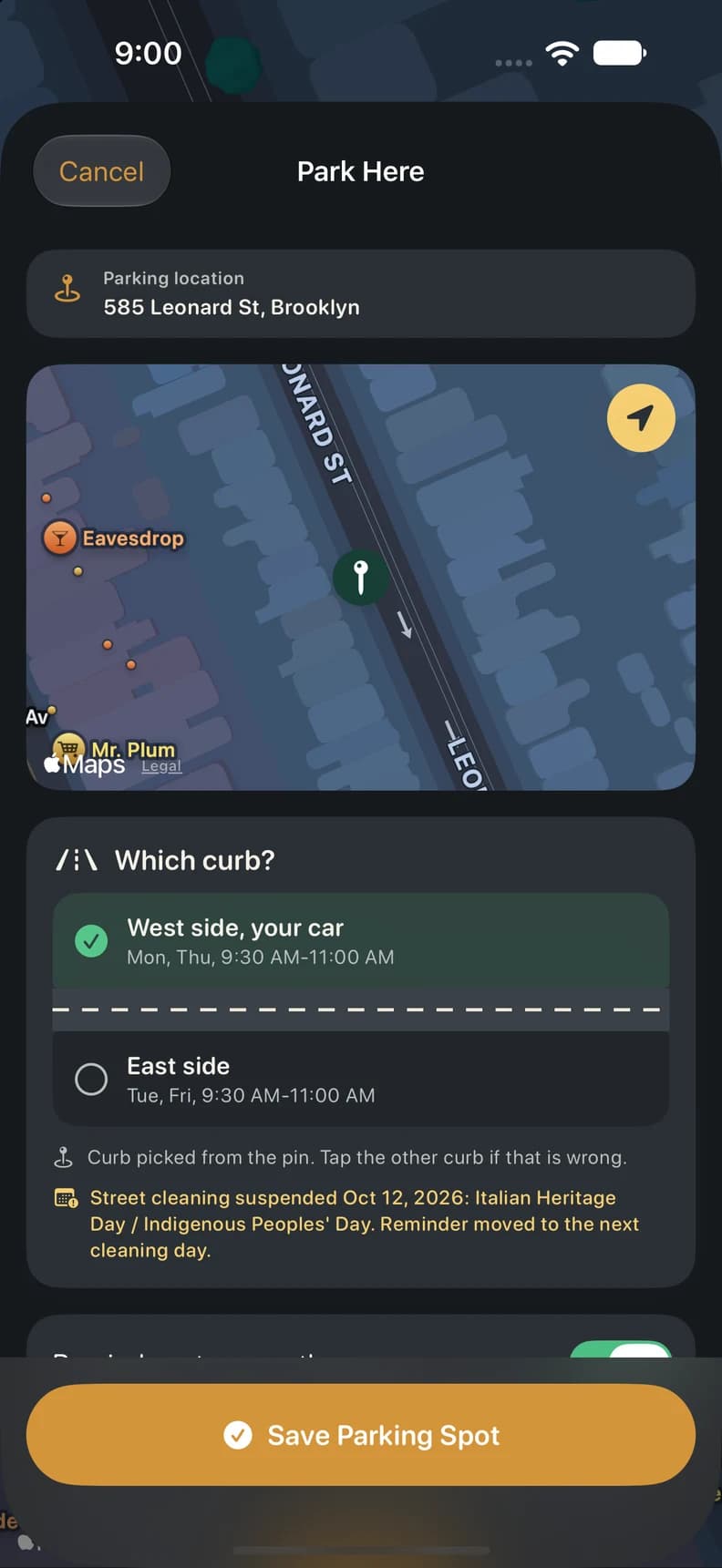
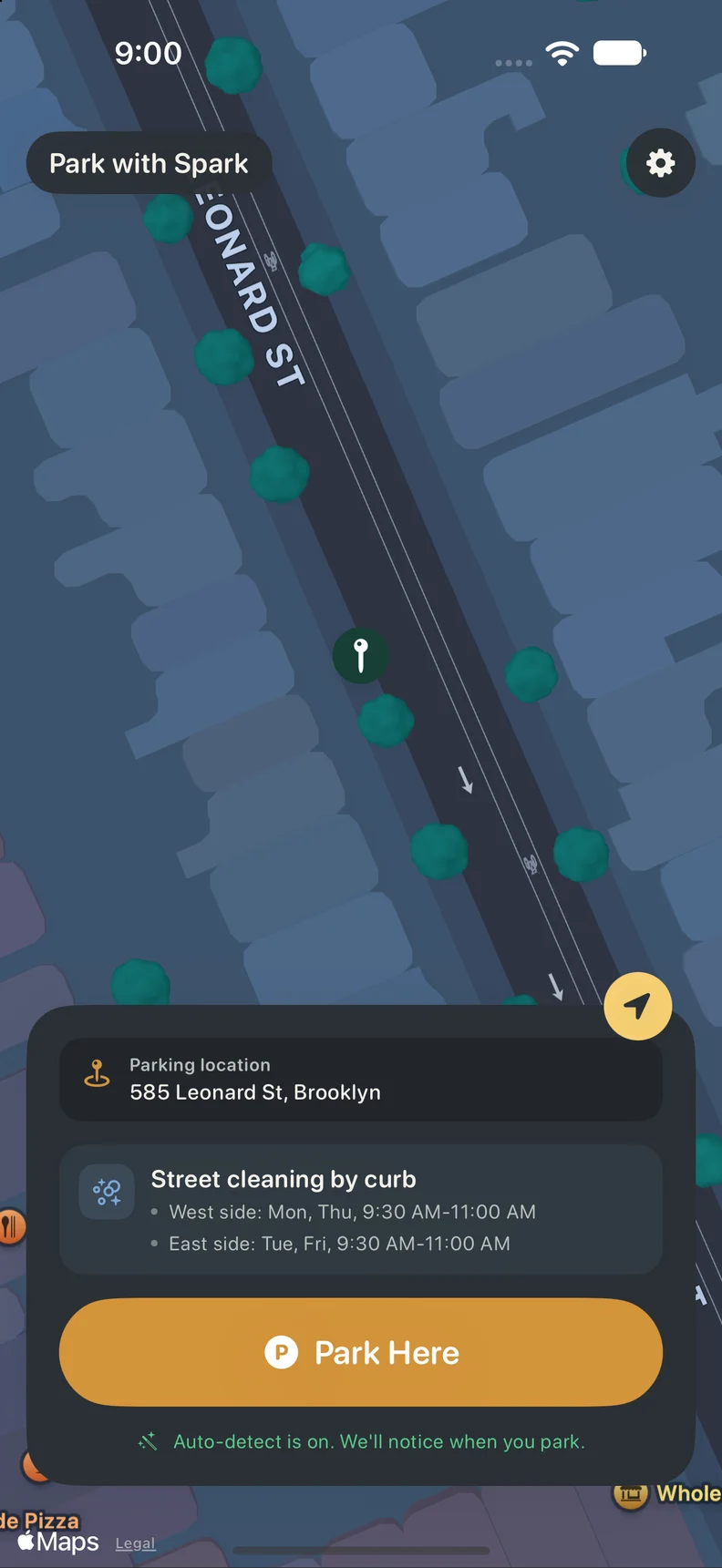
Save your car's location and choose the side of the street. Spark keeps the street-cleaning schedule with your spot.
With Pro, auto-detect can ask if you parked after a drive. You check and confirm.
Get reminders
before street cleaning.
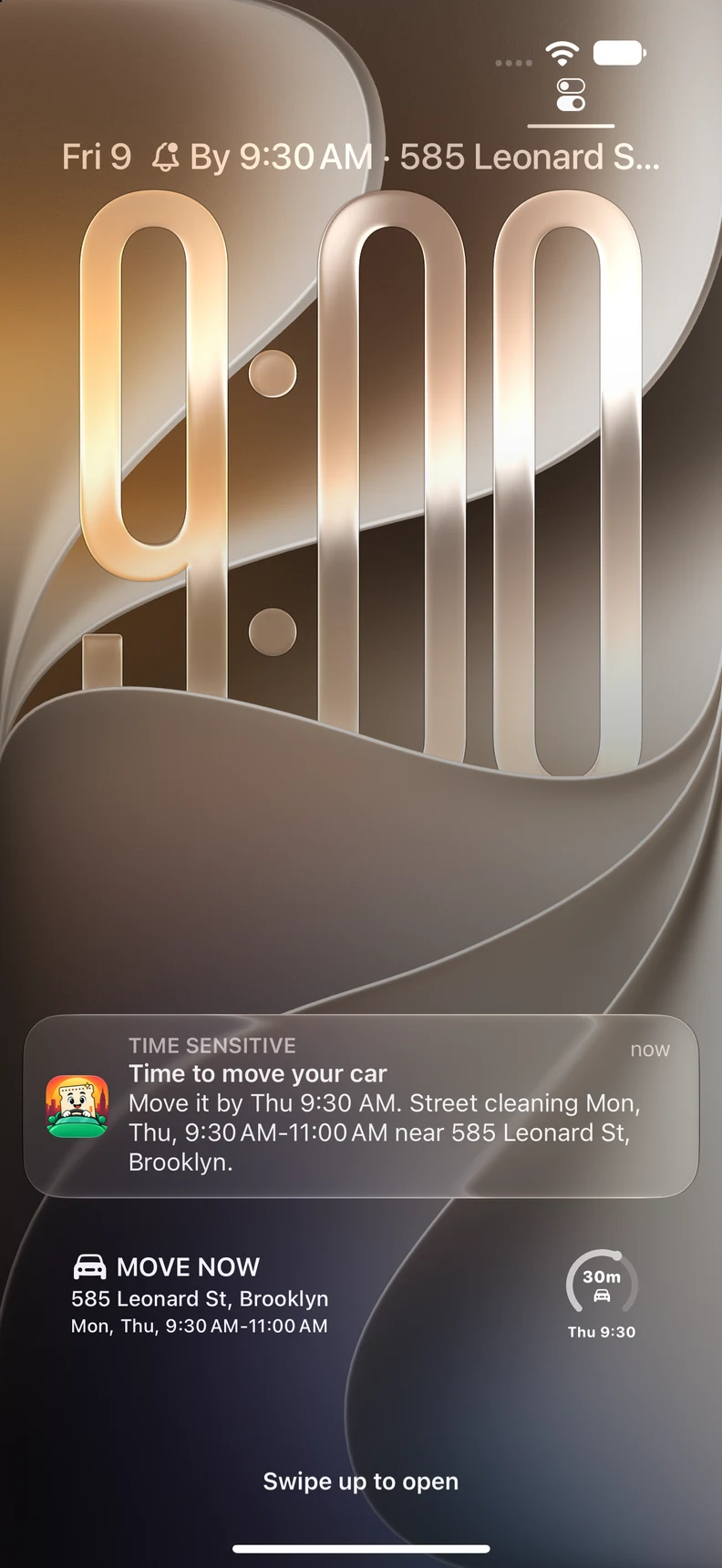
Get a reminder before street cleaning starts, so you have time to head back to your car.
Pro widgets show your move-by time on your Home Screen and Lock Screen.
 Coffee first.
Car second.
Save, check or find
a spot with Siri.
Save your spot, check the block or find your parked car.
“Hey Siri, use Spark to park.”
Save your current spot.
“Hey Siri, ask Spark where can I park?”
Hear the street-cleaning rules for both sides of this block.
“Hey Siri, ask Spark where did I park?”
Hear where your car is parked and when to move for street cleaning.
Street-cleaning and saved-spot answers are free. Saving by voice is a Pro feature. Siri may open the app for location access or ask you to unlock your phone.
Share your car's
location.
Mom moved the car? Find the new spot without texting the group.
With Pro, everyone sharing the car can see its saved location and street-cleaning schedule. Update the spot for the next driver.
Tell us your parking story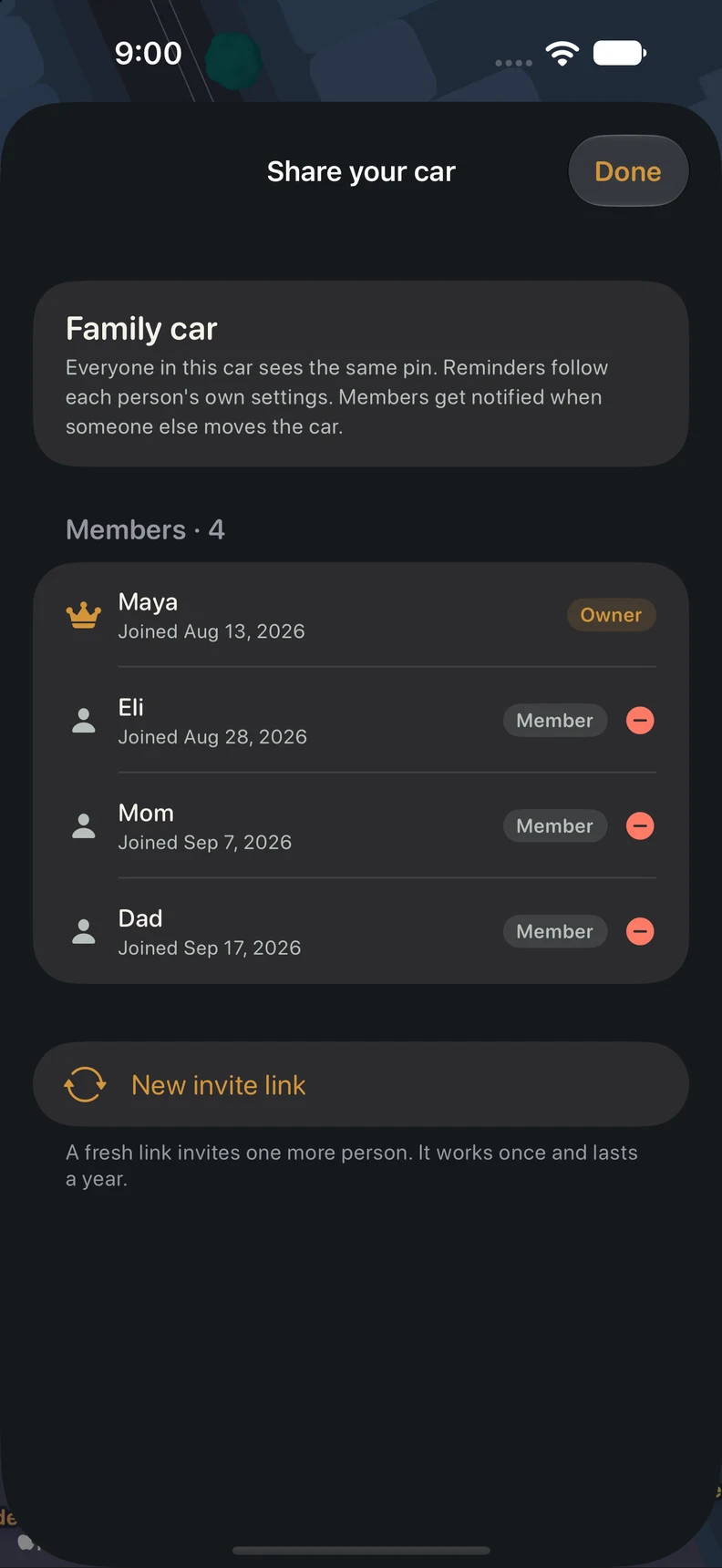
See when street
cleaning is off.
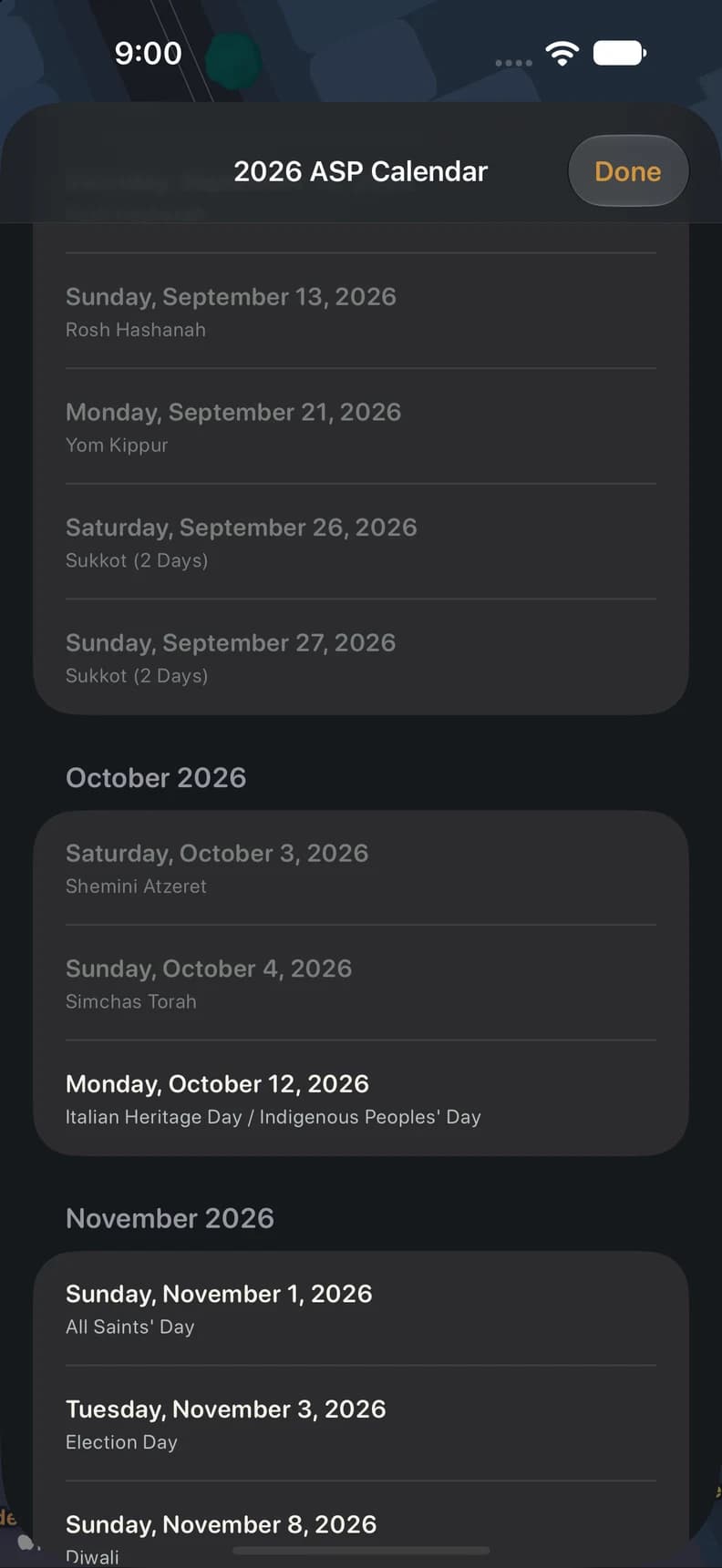
See when alternate-side parking is suspended. One calendar for the days you can skip the street-cleaning shuffle.
Other parking rules still apply. Check posted signs and temporary restrictions.

Built by brothers
who got tired of parking tickets.
We've had our share of NYC parking tickets. We built Spark to keep track of our car and when we need to move it.
We hope it makes your parking routine a little easier, too.
See you around the block,
The brothers behind Spark

Your next stop:
Spark.
Coming soon to the App Store. Download Spark here when it launches, starting with NYC on iPhone.
Coming soon on the App Store
Questions
about Spark.
A few things you might be wondering.
Do I need to open the app every time?
Save your spot in the app, or turn on auto-detect in Pro to get a prompt after a drive. Check the location and side of the street before you confirm.
What about holidays and suspended street cleaning?
Spark shows upcoming alternate-side parking suspensions and accounts for listed holidays in your schedule. Check posted signs and city notices for temporary changes too.
Can I share a car with my family?
Yes, with Pro. Invite the people who use your car. When someone saves a new spot, everyone sharing the car can see it and its street-cleaning schedule.
What's free?
Saving a spot, street-cleaning lookups and reminders are free. Pro adds widgets, auto-detect, car sharing, the sign map and saving your spot with Siri. Subscription details are in our Terms of Service.
Can it guarantee I won't get a ticket?
No. Data and detection can be wrong, and reminders may be late or missing. Spark does not check every parking restriction. Always check posted signs, current city notices and the spot you saved.
When can I get it?
We're getting Spark ready for the App Store, starting with NYC on iPhone. You'll be able to download it directly from this website when it launches.
App previews show staged example screens. Features and availability may change before launch.